
What a feedback evidence pack is and why it matters
A feedback request is rarely actionable on its own. “Customers want X” can mean anything from a single loud user to a repeated pattern tied to meaningful revenue. A feedback evidence pack is a lightweight, repeatable template that turns a request into a decision-ready artifact: a short bundle of proof and context that lets product, support, and go-to-market teams quickly decide whether to build, defer, or decline.
The goal isn’t to over-document. It’s to remove ambiguity. A good evidence pack answers the same questions every time: What is the user trying to do? What’s the impact? Who is asking? How often does it happen? What did we observe (screenshots/logs)? What are the constraints and risks? With those basics, prioritization discussions become faster, calmer, and more consistent.
The lightweight template that makes requests decision-ready
Use the sections below as a one-page template (or a structured form in your feedback tool). Keep it short, but require enough structure that anyone can validate the request without chasing details in Slack threads.
1) Request snapshot
- Title: One sentence describing the user outcome (not the feature).
- Request type: Bug, enhancement, new feature, integration, UX improvement, performance, or compliance.
- Urgency: Now / soon / later, plus the reason (e.g., launch blocker, contract renewal, rising support volume).
- Owner: Who is responsible for keeping the pack updated.
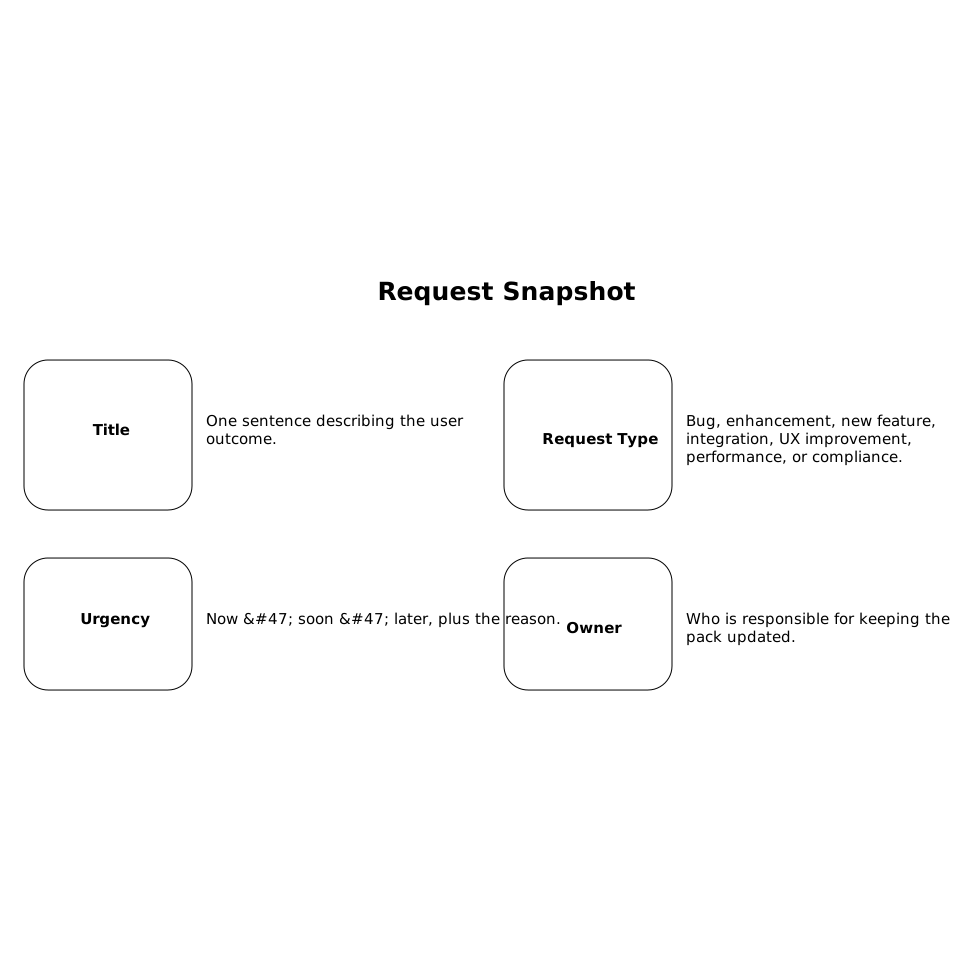
This snapshot prevents the pack from turning into a debate about naming. It also clarifies whether this is really a product problem or something better solved with documentation, onboarding, or a support workflow.
2) Problem statement and user job-to-be-done
Write a plain-language problem statement with minimal solutioning. Two prompts help:
- What is the user trying to accomplish? (the job)
- What blocks them today? (the friction)
Include one or two concrete examples. If the request is “Add export,” specify what data, which format, who needs it, and what they do with it next. This is where vague requests become testable.
3) Reproduction and observable evidence
This is the “evidence” portion of the pack. It should be small but credible:
- Screenshots or short screen recording: Capture the exact state, including error messages and key UI context.
- Logs and traces: Relevant snippets (request IDs, timestamps, endpoint, status codes). Include redactions where needed.
- Steps to reproduce: Environment, permissions, plan tier, browser/device, and any prerequisites.
- Expected vs actual: One line each.
If you’re using AI to summarize or classify evidence, be disciplined about source grounding and attribution. Teams working on higher-assurance systems often benefit from stronger verification approaches; the broader concept is explored in verifiable AI output at the edge.
4) Demand signals and frequency
Decision-making improves when “how often” is visible. Track demand signals in a consistent way:
- Number of unique accounts requesting: Not just comments; deduplicate by account.
- Support volume: Tickets per week/month tagged to the issue.
- Sales impact: Mentions in calls, deal notes, security reviews, or procurement questionnaires.
- Trend: Growing, stable, or seasonal.
Tools like Canny help centralize these signals across sources, so the pack is anchored in what users actually submit rather than what someone remembers from a meeting. When feedback is captured from support and call transcripts, deduplication becomes especially important to avoid overweighting one repeated conversation.
5) Customer segment context
A request means different things depending on who is asking. Include the segment details that influence prioritization:
- Segments affected: Self-serve vs enterprise, industry, persona, region, and maturity level.
- Plan tier and entitlements: Is this blocked by permissions or packaging?
- Workflow criticality: Nice-to-have, daily blocker, or compliance requirement.
- Adjacent features used: What else in the product does this depend on?
This section prevents a common failure mode: building for a narrow edge case that doesn’t map to your product strategy. It also protects against the opposite error: dismissing a request that is low-volume but essential for a high-value segment.
6) Revenue and risk framing
Keep revenue context honest and traceable. Use ranges when exact figures are sensitive:
- Revenue at risk: Renewals, churn likelihood, downgrade risk.
- Revenue upside: Expansion, new pipeline, conversion lift.
- Cost of delay: Support time, workaround complexity, or reputational risk.
- Risk profile: Security, privacy, compliance, and operational risk if implemented incorrectly.
If you reference data produced by AI (summaries of calls, extracted pain points), ensure your team follows consistent attribution and avoids “floating claims” without a traceable source. A practical approach to this discipline is outlined in multimodal citation hygiene.
7) Workarounds and current user experience
Workarounds are an underrated prioritization input. Document:
- What users do today: Manual steps, exports to spreadsheets, API scripts, or third-party tools.
- Who maintains it: Customer team, support, solutions engineering.
- Hidden costs: Errors, time-to-value delays, and support burden.
A strong workaround can justify deferring work; a fragile workaround can justify prioritizing even when demand volume is modest.
8) Proposed solution options and constraints
Keep solutioning lightweight but structured. Offer up to three options:
- Option A (minimum viable): The smallest change that unlocks the job.
- Option B (standard): The likely “good” implementation.
- Option C (scalable): A broader approach if this is part of a larger platform direction.
For each option, note dependencies, complexity estimates (rough order of magnitude), and any policy constraints (data retention, access control, audit logging). This keeps the pack grounded in feasibility without requiring a full spec.
How to operationalize the evidence pack without slowing teams down
Set a threshold for completeness
Not every request deserves a full pack. Define triggers such as: enterprise escalation, revenue impact above a threshold, repeated demand, security/compliance implications, or a recurring support driver. Everything else can stay as a lightweight note until it qualifies.
Make it a shared artifact across teams
Support can own reproduction steps and volume. Sales can add segment and revenue context. Product can add solution options and dependencies. The evidence pack works best when it’s not “owned” by one function’s worldview.
Centralize requests and keep users informed
When packs live in a single workspace, decision history becomes searchable and less political. Platforms like canny.io are designed for this: centralizing feedback from portals and internal tools, deduplicating similar requests, analyzing demand by segment and revenue impact, and closing the loop with roadmap updates and release notes—without turning feedback management into a heavy process.
What “good” looks like in practice
A good evidence pack is short, specific, and verifiable. It includes at least one concrete artifact (screenshot, log snippet, or reproduction steps), ties demand to real accounts (deduped), and frames impact with segment and revenue context. Most importantly, it helps decision-makers say “yes,” “not now,” or “no” with confidence—and ensures the rationale is visible the next time the request resurfaces.


